How to make WhatsApp animated stickers from your own video
Short answer
Make at least three moving stickers from your videos in Snippie, open My Stickers, tap Select, pick 3 to 30 of them and tap Add to WhatsApp. WhatsApp opens and asks you to confirm, and the pack then sits in WhatsApp’s sticker tray next to your other packs.
- iPhone & iPad · iOS 17+
- iMessage & WhatsApp
- Made on your device
Add your own animated sticker pack to WhatsApp, step by step
Make three or more stickers
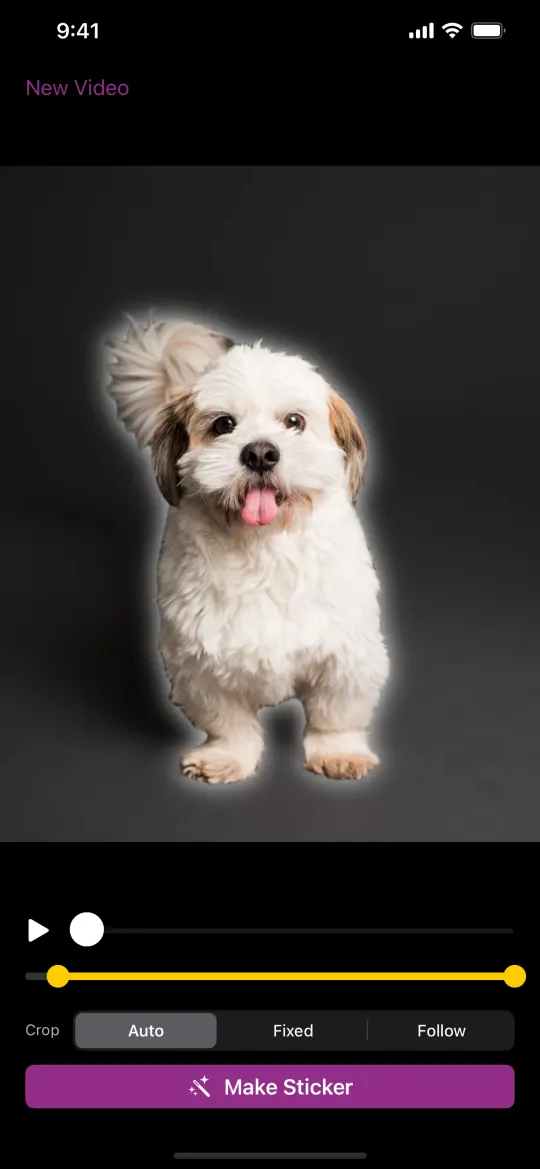
For each one: pick a video or Live Photo, pause, press and hold the subject and tap Make Sticker. WhatsApp packs need at least 3 stickers.
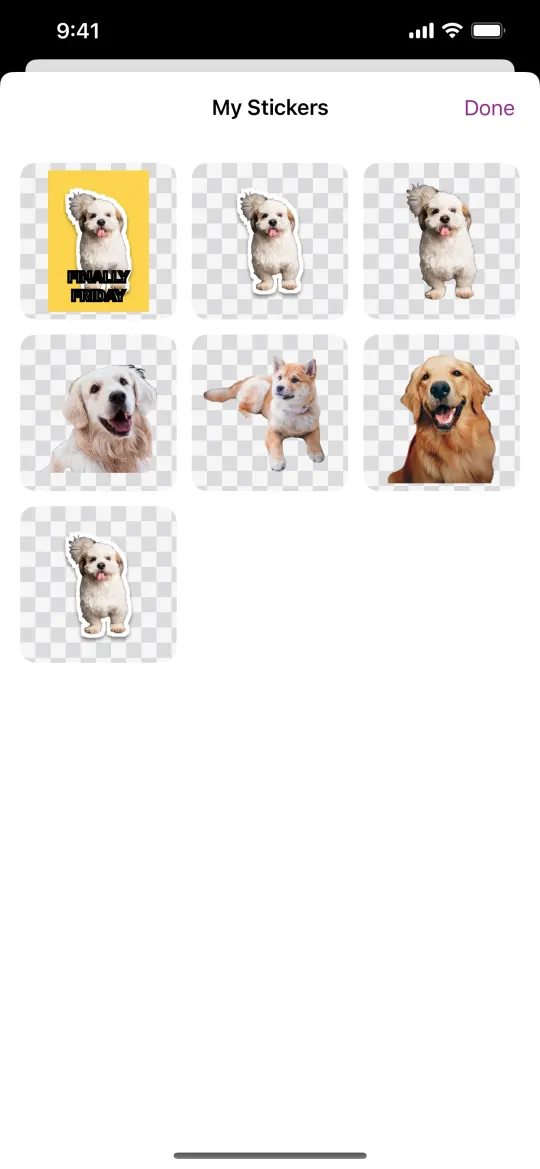
Open My Stickers and tap Select
On Snippie’s start screen, tap My Stickers. Tap Select at the top. It appears once WhatsApp is installed on the same iPhone and you have at least 3 stickers.
Pick 3 to 30 stickers
Tap the stickers you want in the pack. A WhatsApp pack holds 3 to 30.
Tap Add to WhatsApp
Snippie converts each sticker to WhatsApp’s format, then opens WhatsApp. Confirm there to add the pack.
Send it in any WhatsApp chat
In a WhatsApp chat, open the sticker tray: your pack, named “My Snippie stickers” with the date, is there with your other packs.
WhatsApp’s sticker rules, and how Snippie handles them
- WhatsApp stickers are 512 × 512 WebP files, and an animated one must be under 500 KB and under 10 seconds. Snippie converts and shrinks each sticker to fit, and speeds up slow-motion stickers to stay under the limit.
- If a sticker still can’t be made small enough, Snippie leaves it out and tells you, so pick a few more.
- A pack is either all animated or all still. A still sticker in an animated pack becomes a short two-frame animation.
What’s included and what needs Pro
Snippie is free to download, and making, styling and sending stickers works without paying. Stickers made with the free version carry a small “Made with Snippie” watermark. Snippie Pro is a one-time in-app purchase, not a subscription: it removes the watermark and adds all backgrounds, speed control and Save as Live Sticker.
Questions
How many stickers can a WhatsApp pack have?
Between 3 and 30. Snippie’s Add to WhatsApp button turns on once you have picked at least 3.
I don’t see the Select button.
Select only appears when WhatsApp is installed on the same iPhone and you have made at least 3 stickers. Snippie for iPhone and iPad can’t add packs to WhatsApp on another phone.
Do my friends see the stickers move?
Yes. They are sent as animated WhatsApp stickers, so they play in the chat for the people you send them to.
Is there a watermark?
Stickers made with the free version carry a small “Made with Snippie” watermark. Snippie Pro, a one-time purchase with no subscription, removes it.
More Snippie guides

Make your first moving sticker
For iPhone and iPad. Free to download · optional one-time Pro.
Download on theApp StoreAll how-to guidesAbout SnippieSupportPrivacy policy© 2026 AW Labs