How to film and livestream your kid’s volleyball tournament
Grandma wants to watch the 7 a.m. match in a convention center three states away. Your kid wants film to send to college coaches. You want to sit down. Here’s how to do all three with the phone in your pocket.
I’m a volleyball parent too, and I make CourtHD, a volleyball streaming app, so yes, I’ll mention it at the end. But most of this guide works with any app, and the first step doesn’t involve an app at all.
Step 1: Check whether you’re allowed to stream
This is the part almost every “how to livestream volleyball” article skips. Big events often sell the streaming rights. USA Volleyball’s national championships and qualifiers have an official stream partner (BallerTV), and their event pages say plainly: Any other live streaming, including the use of Facebook Live, is strictly prohibited.
Recording for yourself is a different thing. USAV’s written rule bans other live streams and commercial video, and its FAQ suggests leaving tripods at home. Plenty of local and regional tournaments have no rule at all. So, before the day:
- Read the event’s FAQ or spectator page, or email the tournament director.
- Ask your club whether it has a media policy. Some families have real reasons to keep a kid off the internet.
- At an event where streaming is banned, record instead (if allowed), or point family to the official stream.
Step 2: Pack the bag
Tournament days are long, outlets are a myth, and the gym is always colder than you think. Bring:
- A tall tripod or a clamp. A light-stand tripod that reaches 6 feet or more beats a short one. A clamp on the bleacher rail works too.
- A big power bank (10,000–20,000 mAh) and a short cable. Streaming plus recording drains a phone fast, and you have three matches and a crossover.
- Free storage. 1080p video is roughly 3 GB an hour. Clear space the night before.
- Cellular data. Gym Wi-Fi with 400 parents on it is a coin toss. Streaming uses about 1.3 GB an hour at 720p and 2–2.8 GB at 1080p.
Step 3: Put the camera in the right spot
Set up behind the end line, centered, as high as you can safely get it. That’s the view college coaches ask for, and it’s also the one where Grandma can actually follow the ball. If the space behind the court is taken (courts at tournaments are packed edge to edge), use the corner behind your team’s end line.
Stay out of the line judge’s way and the work team’s area, and don’t block the people behind you. A tripod in a walkway is how you meet the tournament director.
Step 4: Settings that save you
- Landscape. The court is wide. Vertical video is for the highlight you post later.
- 1080p, 30 fps. Plenty for streaming and recruiting. 4K eats about three times the storage.
- No digital zoom. Frame the full court and leave it. Zoomed phone video goes mushy fast.
- Stop calls. A phone call can stop a recording. Turn on Do Not Disturb, or Airplane Mode if you’re only recording.
- Lock yourself in. iOS stops the camera when you leave the app. Guided Access (Settings → Accessibility) keeps a stray tap from ending your stream.
- Mind the audio. The phone hears the parents right next to it. Keep the commentary about the ref to yourself.
Step 5: Choose where the stream goes
YouTube is the easiest for family: one link, works on any TV, and the replay stays up. Two things to know:
- Going live from the YouTube app needs at least 50 subscribers. Streaming apps send video the way broadcast software does (with a stream key), and YouTube lists no subscriber minimum for that.
- Turn on live streaming for your channel at least a day early. The first time can take up to 24 hours, which is a bad thing to learn at 6:45 a.m.
Set the stream to Unlisted and share the link in the team or family group chat. Every match has other people’s kids in it, so don’t put the club, the gym and full names in a public title. Facebook Live works too: stream to a private group or to Friends, not Public.
Step 6: Record, even if you stream
The stream is for watching now. The recording is what you keep. If the Wi-Fi dies in set two, the stream drops, but a recording on the phone shouldn’t. For recruiting film, coaches want the full match from behind the end line, with no cuts except between sets. Note your kid’s jersey number for them.
The easy way: CourtHD
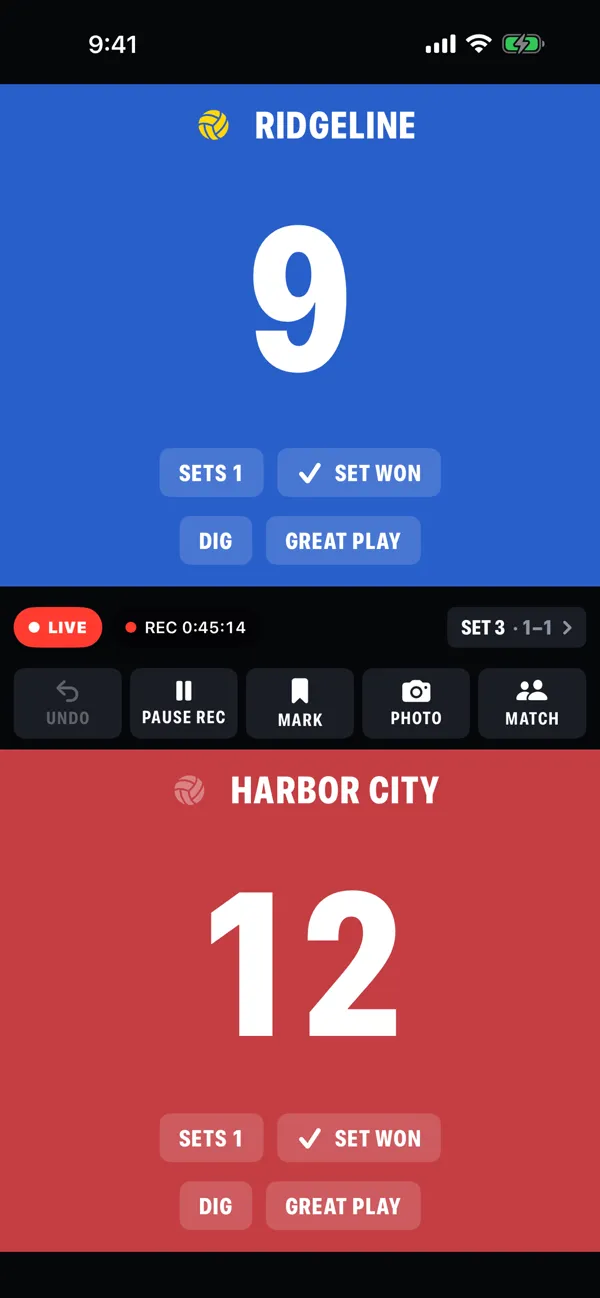
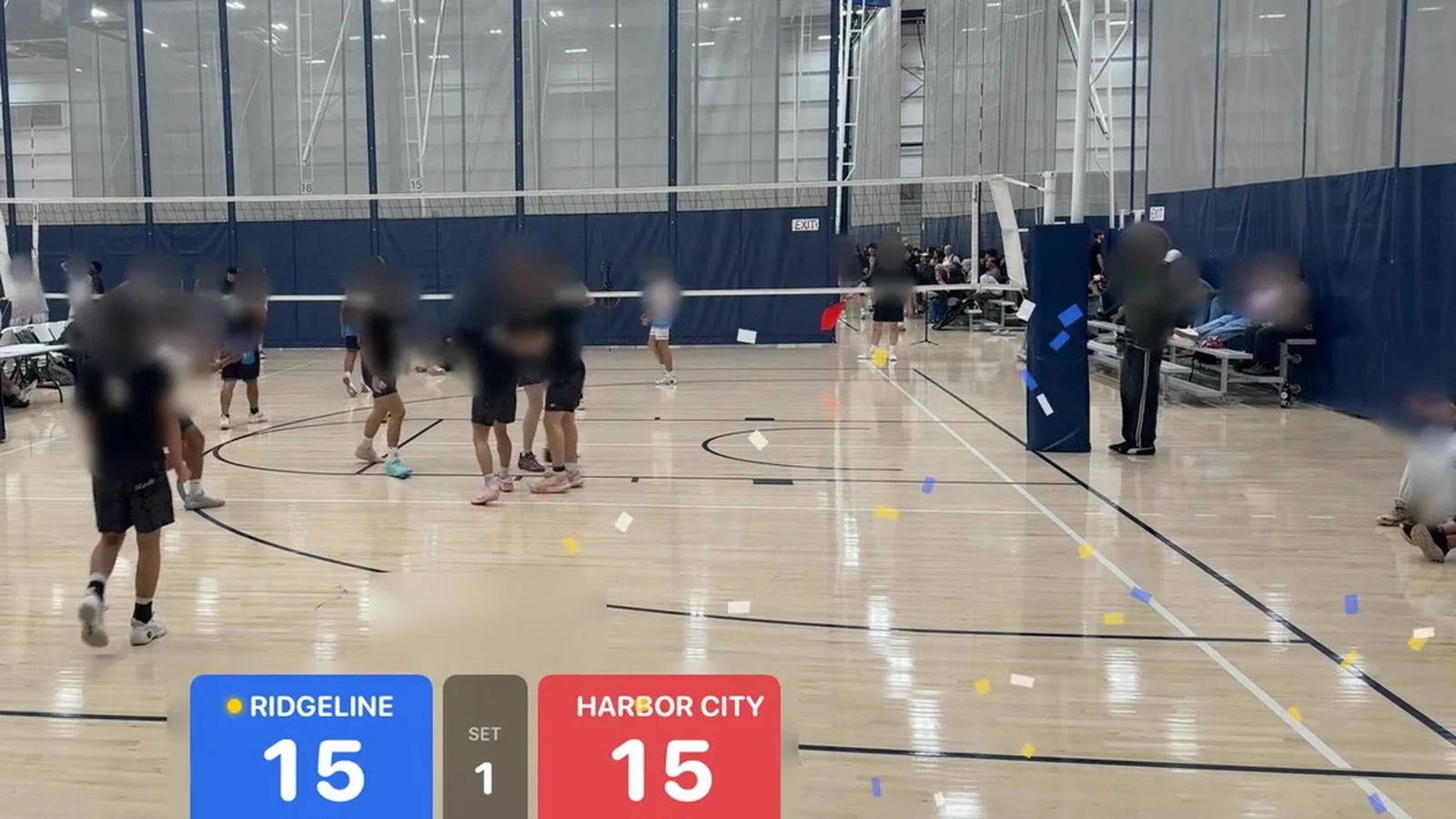
I built CourtHD for my own weekends in the gym. Put an iPhone on a tripod, connect your YouTube channel once, and tap Go live. It draws a real scoreboard into the video, so the family sees the score, the set and who is serving. It also records the same match in 1080p on the phone while it streams.
Someone on the bench can keep score from a second phone or iPad with the free CourtHD Score app, over Bluetooth. No second phone? Score on the camera phone.
What it handles so you don’t have to:
- Creates the YouTube broadcast for you (Unlisted by default), and ends it when the match is over.
- Drops quality on bad gym Wi-Fi and climbs back, and can switch to cellular without breaking the recording.
- Writes the final score and a chapter for every set into the replay’s description.
- Afterwards: highlight reels, vertical shorts, a box score and season stats from the points you tapped.
Streaming, the scoreboard and recording are free. Free video carries a see-through CourtHD logo that drifts around the picture; an optional plan removes it. It’s iPhone only for now (iOS 17 or later).
Quick answers
- Can I livestream my kid’s volleyball tournament?
- It depends on the event. USA Volleyball’s national events have an official stream partner (BallerTV) and say any other live streaming, including Facebook Live, is prohibited. Many local and regional tournaments have no such rule. Read the event’s FAQ or ask the tournament director before you set up, and ask your club whether it has a media policy.
- Where should I put the camera to film volleyball?
- Behind the end line, centered and as high as you can safely get it (6 to 15 feet is ideal), with the whole court in frame. If there is no room there, use the corner behind your team’s end line. A low sideline spot at the net only shows half the court well.
- How much data does livestreaming a volleyball match use?
- Roughly 1.3 GB per hour at 720p and 2 to 2.8 GB per hour at 1080p, because upload data is about 0.45 GB per hour for every megabit per second of stream. Three one-hour matches at 1080p can use 6 to 8 GB of cellular data.
- Do I need 50 subscribers to go live on YouTube from my phone?
- Going live from the YouTube app itself needs at least 50 subscribers and a verified channel. Streaming with an encoder or stream key, which is how streaming apps send video, has no subscriber minimum in YouTube’s help pages. Turn on live streaming for your channel at least a day before the tournament, because the first time can take up to 24 hours.
- What app can stream volleyball to YouTube with a scoreboard?
- CourtHD is a free iPhone app from AW Labs that streams to your own YouTube channel with a live scoreboard drawn into the video and records the match on the phone at the same time. A second phone or iPad running the free CourtHD Score app can keep score from the bench over Bluetooth. Free video carries a see-through CourtHD logo; an optional plan removes it.
Get CourtHD
iPhone · Free to download, stream and record · optional plans
Stuck on something at the gym? Email me at awlabsdev@gmail.com. Good luck this weekend, and bring a jacket.
— Alvin